None .. An html document created by ipypublish
outline: ipypublish.templates.outline_schemas/rst_outline.rst.j2 with segments: - nbsphinx-ipypublish-content: ipypublish sphinx content
[1]:
from IPython.display import set_matplotlib_formats
set_matplotlib_formats('svg')
/home/docs/checkouts/readthedocs.org/user_builds/master-sgm-info/envs/latest/lib/python3.7/site-packages/ipykernel_launcher.py:2: DeprecationWarning: `set_matplotlib_formats` is deprecated since IPython 7.23, directly use `matplotlib_inline.backend_inline.set_matplotlib_formats()`
9. Introduction to Numpy
*** Basile Marchand (Center des Matériaux @ Mines ParisTech / CNRS / Université PSL)** *
9.1. Numpy
NumPy is a Python module for working with multidimensional arrays. Indeed Python does not natively have notions of arrays and therefore by extensions even less notions of matrices.
It is therefore necessary to use a particular module, which is not a module from the standard Python library. The recommended module for handling multidimensional arrays (this therefore includes matrices) is therefore NumPy.
As proof of the recognition of this module as well as of its performance, it should be noted that this is the module that is almost used in all the other scientific modules available in Python. The secret of the NumPy module is that for performance concerns it is not developed in Python but in C ++.
Obviously the use of this module is done in the classic way:
import numpy
However for the sake of simplicity you will almost always see the import carried out by giving an alias to numpy:
import numpy as np
The base object in NumPy, the one that we will handle later, is the np.ndarray. A np.ndarray numpy is a multidimensional array of the same type (we cannot mix integer, float and character string in the same np.ndarray for example) . We call rank of the np.ndarray the number of dimension of the latter: * rank of 1: 1-dimensional array therefore a row of M columns * rank of 2: 2-dimensional array therefore N rows and M columns * rank of 3: three-dimensional array (a block in the space) * etc
And the shape of the array, shape in English, is a tuple which characterizes the size of the array following each of its dimensions. For example : * A row vector of size N corresponds to an array with rank = 1 and shape = (N,) * A column vector of size N corresponds to an array with rank = 2 and shape = (1, N) * A rectangular matrix NxM corresponds to a array with rank = 2 and shape = (N, M) * A square hypermatrix NxNxN corresponds to an array with rank = 3 and shape = (N, N, N)
9.1.1. Creating an array
Defining an np.ndarray from a set of values is done
usingnp.array as follows:
[2]:
import numpy as np
une_matrice_3_3 = np.array([[1,2,3], [4,5,6], [7,8,9]])
print(f"une matrice 3x3 : \n{une_matrice_3_3}")
un_vecteur_colonne = np.array([[1,], [2,], [3,]])
print(f"un vecteur colonne : \n{un_vecteur_colonne}")
un_vecteur_ligne = np.array([1,2,3])
print(f"un vecteur ligne : \n{un_vecteur_ligne}")
un_tableau_3_dimension = np.array( [[[1,2,3],[2,5,6]], [[11,12,13],[14,15,16]]])
print(f"un tableau 3 dimension :\n{un_tableau_3_dimension}")
une matrice 3x3 :
[[1 2 3]
 [4 5 6]
 [7 8 9]]
un vecteur colonne :
[[1]
 [2]
 [3]]
un vecteur ligne :
[1 2 3]
un tableau 3 dimension :
[[[ 1  2  3]
  [ 2  5  6]]

 [[11 12 13]
  [14 15 16]]]
To find out the rank and shape of a array NumPy, simply proceed as follows:
[3]:
forme = un_vecteur_colonne.shape
rang  = un_vecteur_colonne.ndim
print("shape = {}".format(forme))
print("rank  = {}".format(rang))
shape = (3, 1)
rank  = 2
In addition, to know the number of elements contained in an np.array
it is enough simply to access the size attribute of the latter. For
example :
[4]:
nElement = un_vecteur_colonne.size
print(f"size = {nElement}")
size = 3
In order to initialize an array NumPy has a number of functions to
create arrays. * np.zeros which creates an array containing only
zeros * np.zeros_like which allows to build a matrix of zeros
having the same shape as another matrix given as input. * np.ones
which creates an array containing only ones. * np.eye which creates
an identity array * np.random.rand which creates a matrix with
random values.
Below are examples of how to use each of these functions.
[5]:
print("np.zeros")
print(np.zeros((2,4)))
print("np.ones")
print(np.ones((5,1)))
print("np.zeros_like")
m = np.ones((2,3))
print(np.zeros_like(m))
print("np.eye")
print(np.eye(4))
print("np.random.rand")
print(np.random.rand(3,5))
np.zeros
[[0. 0. 0. 0.]
 [0. 0. 0. 0.]]
np.ones
[[1.]
 [1.]
 [1.]
 [1.]
 [1.]]
np.zeros_like
[[0. 0. 0.]
 [0. 0. 0.]]
np.eye
[[1. 0. 0. 0.]
 [0. 1. 0. 0.]
 [0. 0. 1. 0.]
 [0. 0. 0. 1.]]
np.random.rand
[[0.17646628 0.07296404 0.30734112 0.97990792 0.83218532]
 [0.46521884 0.65605356 0.84164451 0.43644336 0.48441542]
 [0.20331319 0.22563553 0.03871769 0.87576945 0.33641885]]
9.1.2. A word about np.matrix
There is an object of type matrix in numpy. At first glance it would
be tempting to believe that this is the ideal trick for target prepara-
tion applications. Well no it’s a false good idea !! It is important not
to use the np.matrix because that will only introduce weird bugs in
the codes.
9.1.3. A word on what C ++ imposes on us behind numpy
[6]:
tableau = np.random.rand(10)
print(f"tableau = {tableau}")
tableau = [0.94180937 0.6983328  0.63286575 0.33292408 0.8105741  0.48826399
 0.02092435 0.89646544 0.64745856 0.51159666]
[7]:
tableau[0] = int(10)
print(f"tableau = {tableau}")
tableau = [10.          0.6983328   0.63286575  0.33292408  0.8105741   0.48826399
  0.02092435  0.89646544  0.64745856  0.51159666]
[8]:
try:
    tableau[0] = "coucou"
except Exception as e:
    print(e.args[0])
could not convert string to float: 'coucou'
And yes np.array are not like Python lists, they are homogeneous
containers. Cannot store values of different types there, numpy
will always try to convert what you give it into the type of the array.
This behavior may seem strange, given the dynamically typed character of
Python !! But I remind you that NumPy is not developed in Python but in
C ++. However, C ++ is a statically typed language. This is the price to
pay for performance! So each np.ndarray is associated with a type.
To know the type of elements, just access the dtype attribute. For
example :
[9]:
tableau.dtype
[9]:
dtype('float64')
So you can see that the type of values that can be contained in the
array is therefore float64 which corresponds to a double precision
float (coded on 64 bits). So all the elements we want to store in the
array will be converted to float64. If this conversion is not
possible then we have an error!
It is possible to change the np.ndarray type for that, just use
theastype method. For example if I want to convert the array
array which contains onlyfloat64 into an array containing
int32 just proceed as follows:
[10]:
tableauInt = tableau.astype(np.int32)
print(f"tableauInt = {tableauInt}")
tableauInt = [10 0 0 0 0 0 0 0 0 0]
[11]:
tableauInt.dtype
[11]:
dtype('int32')
You will notice that most of the values become 0. This is because
converting a float64 to an integer is done by simply truncating!
Obviously it is possible when creating an np.ndarray to specify the
type of element you want, which bypasses the numpy type deduction
mechanism. For example if we create an array from a list containing only
integers.
[12]:
tableau_no_type = np.array([1,2,3,4])
print(f"type = {tableau_no_type.dtype}")
type = int64
Numpy automatically deduces an int64 type.
But if I want to have float64, what should I do? The stupid and
nasty solution is to put dots in the list I provided as input, for
example:
[13]:
tableau_no_type = np.array([1.,2.,3.,4.])
tableau_no_type.dtype
[13]:
dtype('float64')
By the way, a remark, if I put only one point in the list at the first
element, for example numpy will still consider float64. Because in
the presence of a heterogeneous list NumPy will take the highest level
type, in this case the float64.
[14]:
tableau_no_type = np.array([1.,2,3,4])
tableau_no_type.dtype
[14]:
dtype('float64')
The other slightly more elegant solution is to specify the type of the
np.ndarray via the optionaldtype argument of np.array. For
example :
[15]:
tableau_typed = np.array([1,2,3,4], dtype=np.float64)
tableau_typed.dtype
[15]:
dtype('float64')
[16]:
tableau_typed[0] = 10.6
tableau_typed
[16]:
array([10.6, 2. , 3. , 4. ])
9.1.4. Mathematical operations and vectorization
NumPy allows to create multidimensional arrays, we have just seen it. But once the table with data has been created, it is necessary to be able to apply treatments to this data. Obviously NumPy is there for that too!
To begin with the basic operations +, -,*,/are all
available in numpy.
Two scenarios to consider:
Operation between two
np.ndarray: the operations are term by term, including for``*``Operation between an
np.ndarrayand a number
Par exemple :
[17]:
a = np.array([[1,2,3],[4,5,6]], dtype=np.float64)
b = np.array([[1,2,3],[4,5,6]], dtype=np.float64)
[18]:
a + b
[18]:
array([[ 2.,  4.,  6.],
       [ 8., 10., 12.]])
[19]:
a - b
[19]:
array([[0., 0., 0.],
       [0., 0., 0.]])
[20]:
a * b
[20]:
array([[ 1.,  4.,  9.],
       [16., 25., 36.]])
[21]:
a / b
[21]:
array([[1., 1., 1.],
       [1., 1., 1.]])
Broadcasting
NumPy for basic operations has a behavior which may seem strange to you
when the two np.ndarray do not have matchingshapes. This is
called broadcasting! If I sum an array 2,3 and an array3,,
logically we would say that this should not work. But in the facts:
[22]:
c = np.array([1,2,3], dtype=np.float64)
[23]:
print(f"a={a}")
print(f"c={c}")
a + c
a=[[1. 2. 3.]
 [4. 5. 6.]]
c=[1. 2. 3.]
[23]:
array([[2., 4., 6.],
       [5., 7., 9.]])
Numpy effectively replaced the array c = np.array ([1,2,3]) with
np.array ([[1,2,3], [1,2,3]]). This behavior works for all basic
operations
[24]:
a / c
[24]:
array([[1. , 1. , 1. ],
       [4. , 2.5, 2. ]])
[25]:
d = np.array([[1.,], [2.,]])
[26]:
a + d
[26]:
array([[2., 3., 4.],
       [6., 7., 8.]])
It is this broadcasting that also allows us to do the basic
operations between annp.ndarray and a number. For example :
[27]:
2. * a
[27]:
array([[ 2.,  4.,  6.],
       [ 8., 10., 12.]])
[28]:
2 + a
[28]:
array([[3., 4., 5.],
       [6., 7., 8.]])
[29]:
2 / a
[29]:
array([[2.        , 1.        , 0.66666667],
       [0.5       , 0.4       , 0.33333333]])
[30]:
a / 2.
[30]:
array([[0.5, 1. , 1.5],
       [2. , 2.5, 3. ]])
The particular case of the matrix product
The question you are probably asking yourself is but does numpy know how to make a matrix product as we teach our prep students?
Don’t worry, the answer is YES! It’s just that the matrix product
between two np.ndarray that would have the correct sizes is not
symbolized by the*operator but bynp.dot or @.
For example :
[31]:
a = np.random.rand(4,2)
b = np.random.rand(2,5)
[32]:
a @ b
[32]:
array([[0.00697207, 0.27049967, 0.27648859, 0.26100725, 0.33937754],
       [0.01363014, 0.09689357, 0.09649247, 0.05989443, 0.13372454],
       [0.07279968, 0.95111564, 0.96112958, 0.77201373, 1.2460351 ],
       [0.04411168, 0.32810351, 0.32721262, 0.20898214, 0.45059012]])
[33]:
np.dot(a, b)
[33]:
array([[0.00697207, 0.27049967, 0.27648859, 0.26100725, 0.33937754],
       [0.01363014, 0.09689357, 0.09649247, 0.05989443, 0.13372454],
       [0.07279968, 0.95111564, 0.96112958, 0.77201373, 1.2460351 ],
       [0.04411168, 0.32810351, 0.32721262, 0.20898214, 0.45059012]])
In the same way to make a matrix-vector product, which is nothing other than the product of an array \(M\times N\) by a matrix \(N\times 1\), we proceed as follows:
[34]:
v = np.random.rand(2,1)

a@v
[34]:
array([[0.21399275],
       [0.06464332],
       [0.70034229],
       [0.22110083]])
The transpose of an array
Another essential element of matrix calculation, the transpose.
Obviously there again Numpy has planned everything. To calculate the
transpose of a np.ndarray, just proceed as follows:
[35]:
a = np.random.rand(2,4)
a
[35]:
array([[0.63581359, 0.43566141, 0.63918894, 0.25109847],
       [0.94469099, 0.18923565, 0.65004193, 0.92163589]])
[36]:
b1 = a.T
b1
[36]:
array([[0.63581359, 0.94469099],
       [0.43566141, 0.18923565],
       [0.63918894, 0.65004193],
       [0.25109847, 0.92163589]])
[37]:
b2 = np.transpose(a)
b2
[37]:
array([[0.63581359, 0.94469099],
       [0.43566141, 0.18923565],
       [0.63918894, 0.65004193],
       [0.25109847, 0.92163589]])
Note the transpositron operation only applies to np.ndarray of rank
greater than or equal to 2. For example the transpose of a” row vector
“does not give a column vector:
[38]:
v = np.random.rand(4)
print(f"v = {v}")
vt = v.T
print(f"vt = {vt}")
v = [0.60961163 0.88939604 0.1902998  0.87766459]
vt = [0.60961163 0.88939604 0.1902998  0.87766459]
9.1.5. More complex operations
Obviously the operations +, -,*,/are not the only
ones available. All the classic mathematical functions are defined in
numpy.* np.cos,np.sin, np.tan
``np.arccos``,``np.arcsin``, ``np.arctan``
np.degrees,np.radians * np.exp,np.log
The advantage of these functions, which all already exist in Python’s
math module, is that they are made to work onnp.ndarray.
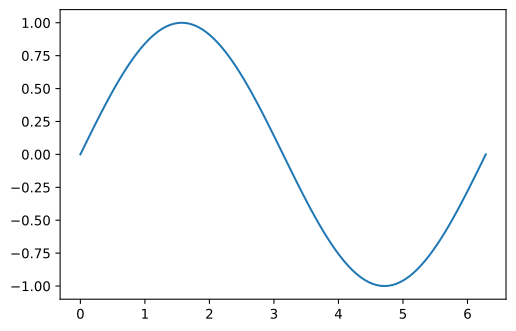
For example if we evaluate the function \(\sin x\).
In basic Python we would do something like this
[39]:
import math
nStep = 100
x = [ 2*math.pi*i/nStep for i in range(nStep+1)]
y = [ math.sin(x_i) for x_i in x]

import matplotlib.pyplot as plt
plt.plot(x,y)
plt.show()
While using NumPy we can directly write:
[40]:
xNumpy = np.linspace(0, 2*np.pi, nStep)
yNumpy = np.sin(xNumpy)
plt.plot(xNumpy,yNumpy)
plt.show()
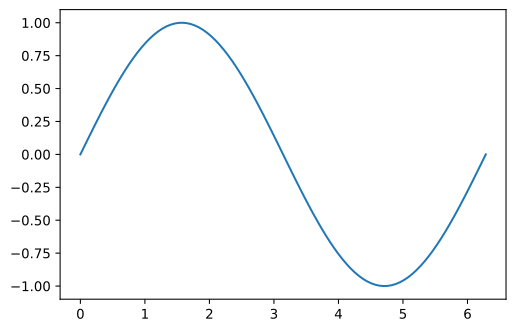
There are two advantages to the Numpy approach:
It’s easier to code and more pleasant to read later
It is much more efficient
[41]:
%timeit [math.sin(x_i) for x_i in x]
10.5 µs ± 101 ns per loop (mean ± std. dev. of 7 runs, 100000 loops each)
[42]:
%timeit np.sin(xNumpy)
1.97 µs ± 3.52 ns per loop (mean ± std. dev. of 7 runs, 1000000 loops each)
We therefore observe a factor of 4 between the basic Python version and the NumPy version and I can assure you that things get much worse when we go over real problems!
You may be wondering why it goes 4 times faster !? It is simply because on one side you loop in the Python world while on the other side the loop is done in the Numpy world so C ++.
Basically behind all of this is the fact that numpy arrays are actually
contiguously allocated in memory, this is double*. And so c ++ does
a great job of iterating through the whole array and applying a function
to all the elements. While Python has more trouble because it does not
presuppose a memory alignment and therefore spends its time doing
indirections.
The basic rule to remember is that when working with numpy arrays you should ** never ** make loops
If you want to apply a “custom” function to a np.ndarray it is
possible using thenp.vectorize function to vectorize your
function.
[43]:
def ma_fonction(x):
    if x < 0.5:
        return x
    else:
        return -x
Without vectorization you would have to do something like:
[44]:
data = np.random.rand(10,20,30)
[45]:
%%timeit
for i,x in enumerate(data):
    for j, y in enumerate(x):
        for k, z in enumerate(y):
            data[i,j,k] = ma_fonction(z)
2.11 ms ± 29.9 µs per loop (mean ± std. dev. of 7 runs, 100 loops each)
While if we vectorize the my_function function this not very nice
triple loop comes down to something much more pleasant:
[46]:
ma_fonction_vect = np.vectorize(ma_fonction)

%timeit ma_fonction_vect(data)
778 µs ± 6.16 µs per loop (mean ± std. dev. of 7 runs, 1000 loops each)
We therefore observe a significant gain at runtime and most importantly, the code is much more pleasant to read.
9.1.6. Manipulation des array
So far we have seen how to define np.ndarray and how to use these
arrays to do more or less complex evaluations. This is good but it is
not enough to cover 100% of the needs. In many cases we need to be able
to access particular values in an array.
The manipulation of np.ndarray NumPy and in particular the access to
the values contained in the latter is done in the same spirit as the
access to the elements of a list with the difference that one must
specify for anp .ndarray multiple indices since it is a
multidimensional array.
Attention: As for lists and tuples, the index numbering starts at 0
[47]:
un_tableau = np.array([[1,2,3,4,5],[6,7,8,9,10],[11,12,13,14,15]])
print("Le tableau : \n{}".format(un_tableau))
Le tableau :
[[ 1  2  3  4  5]
 [ 6  7  8  9 10]
 [11 12 13 14 15]]
Accessing the elements of an np.ndarray is done in the same way as
accessing the values of a list, namely by using the [] operator.
The subtlety is that the [] operator of a np.ndarray can take
multiple indices as input.
[48]:
a_12 = un_tableau[1,2]
print(f"Element 1,2 : {a_12}")
Element 1,2 : 8
You can also use negative indices to access values from the end:
[49]:
a_24 = un_tableau[-1,-1]
print(f"Element -1,-1 : {a_24}")
Element -1,-1 : 15
In addition, as with lists, we can use the concept of slicing. As a reminder, the notation is of the form:
start: stop + 1: step
For example, if I want to extract the first row of the un_tableau
matrix, we can proceed as follows:
[50]:
ligne_0 = un_tableau[0,:]
print(f"Ligne_0 : {ligne_0}")
Ligne_0 : [1 2 3 4 5]
We can then use these notations to extract a sub-table:
[51]:
sub_array = un_tableau[1:,1:]
print(sub_array)
[[ 7  8  9 10]
 [12 13 14 15]]
[52]:
sub_array = un_tableau[0,:]
print(sub_array)
[1 2 3 4 5]
[53]:
sub_array = un_tableau[::2,::2]
print(sub_array)
[[ 1  3  5]
 [11 13 15]]
The sub-table that we get then is a bit special, it is called a view. What particularity? An example will be more telling:
[54]:
un_tableau
[54]:
array([[ 1,  2,  3,  4,  5],
       [ 6,  7,  8,  9, 10],
       [11, 12, 13, 14, 15]])
[55]:
sub_array
[55]:
array([[ 1,  3,  5],
       [11, 13, 15]])
[56]:
sub_array[0,0] = 10
sub_array
[56]:
array([[10,  3,  5],
       [11, 13, 15]])
[57]:
un_tableau
[57]:
array([[10,  2,  3,  4,  5],
       [ 6,  7,  8,  9, 10],
       [11, 12, 13, 14, 15]])
And there is the drama, or not, the sub-table being only a view when one modifies a value in the view one modifies the corresponding box in the original table.
So be careful with the sub-tables it’s very very practical, and in terms of calculation cost it allows quite elegant optimizations but on the other hand you should always have in a corner of your head the fact that you are working on A sight.
A note on subarray extraction:
Thus it is possible in this way to access a sub-table. However in many applications, it is necessary to have access to a sub-array, often discontinuous, only from a list of row and column indices. However, if we do this directly, we can observe below that the extracted sub-table does not correspond.
[58]:
matrice_a = np.array([[1,2,3,4,5],[6,7,8,9,10],[11,12,13,14,15]])
print("La matrice complète : \n{}".format(matrice_a))
idx_i = [0,2]
idx_j = [1,4]
sous_matrice = matrice_a[idx_i, idx_j]
print("La sous-matrice par la mauvaise approche : \n{}".format(sous_matrice))
La matrice complète :
[[ 1  2  3  4  5]
 [ 6  7  8  9 10]
 [11 12 13 14 15]]
La sous-matrice par la mauvaise approche :
[ 2 15]
In order to have the desired result it is necessary to use the
np.ix_ function. The latter is used to generate from two lists of
indices, the mask of desired values.
[59]:
matrice_a = np.array([[1,2,3,4,5],[6,7,8,9,10],[11,12,13,14,15]])
print(f"La matrice complète : \n{matrice_a}")
idx_i = [0,2]
idx_j = [1,4]

mask = np.ix_(idx_i, idx_j)
print(f"mask : {mask}")

sous_matrice = matrice_a[mask]
print("La sous-matrice par np.ix_ : \n{}".format(sous_matrice))
La matrice complète :
[[ 1  2  3  4  5]
 [ 6  7  8  9 10]
 [11 12 13 14 15]]
mask : (array([[0],
       [2]]), array([[1, 4]]))
La sous-matrice par np.ix_ :
[[ 2  5]
 [12 15]]
We have therefore just seen that we can easily extract sub-arrays but obviously using this we can easily insert values by block within an array of larger dimensions. For example :
[60]:
big_array = np.zeros((6,6))
little_array = np.eye(3)
print(f"Big array : \n{big_array}")
print(f"Little array : \n{little_array}")
big_array[3:,0:3] = little_array
print(f"Big array après insertion : \n{big_array}")
Big array :
[[0. 0. 0. 0. 0. 0.]
 [0. 0. 0. 0. 0. 0.]
 [0. 0. 0. 0. 0. 0.]
 [0. 0. 0. 0. 0. 0.]
 [0. 0. 0. 0. 0. 0.]
 [0. 0. 0. 0. 0. 0.]]
Little array :
[[1. 0. 0.]
 [0. 1. 0.]
 [0. 0. 1.]]
Big array après insertion :
[[0. 0. 0. 0. 0. 0.]
 [0. 0. 0. 0. 0. 0.]
 [0. 0. 0. 0. 0. 0.]
 [1. 0. 0. 0. 0. 0.]
 [0. 1. 0. 0. 0. 0.]
 [0. 0. 1. 0. 0. 0.]]
[61]:
little_array = np.random.rand(2,2)
print(f"little_array = {little_array}")
big_array[np.ix_([1,3],[1,3])] = little_array
print(f"Big array après insertion: \n{big_array}")
little_array = [[0.74038958 0.36021799]
 [0.15236599 0.58696959]]
Big array après insertion:
[[0.         0.         0.         0.         0.         0.        ]
 [0.         0.74038958 0.         0.36021799 0.         0.        ]
 [0.         0.         0.         0.         0.         0.        ]
 [1.         0.15236599 0.         0.58696959 0.         0.        ]
 [0.         1.         0.         0.         0.         0.        ]
 [0.         0.         1.         0.         0.         0.        ]]
Among the other possible manipulations on array NumPy there is the
reshape operation which allows to change the shape of an array. For
example :
[62]:
array_1 = np.array([[1,2,3],[4,5,6]])
print("Tableau avant reshape {} : \n{}".format( array_1.shape, array_1))

array_2 = array_1.reshape((6,1))
print("Tableau après reshape {} : \n{}".format( array_2.shape, array_2))

array_3 = array_1.reshape((6,))
print("Tableau après reshape {} : \n{}".format( array_3.shape, array_3))
Tableau avant reshape (2, 3) :
[[1 2 3]
 [4 5 6]]
Tableau après reshape (6, 1) :
[[1]
 [2]
 [3]
 [4]
 [5]
 [6]]
Tableau après reshape (6,) :
[1 2 3 4 5 6]
- Attention: For the reshape operation to work, it is imperative
that the total number of elements be preserved. That is to say that it is imperative that the product of the sizes according to each of the dimensions is equal before and after the
reshapeHint: For more simplicity you can, during the reshape operation, leave one of the sizes free. The latter will be automatically deducted from the others in order to satisfy the condition of keeping the number of elements. To do this, it suffices to give a size of - 1 to the dimension left free.
[63]:
vecteur_colonne = array_1.reshape((-1,1))
print("Après le reshape((-1,1)) : \n{}".format(vecteur_colonne))
Après le reshape((-1,1)) :
[[1]
 [2]
 [3]
 [4]
 [5]
 [6]]
9.1.7. Boolean and mask operations
A key concept of NumPy that allows us to not do a for loop to
process data and the concept of mask. The latter is related to Boolean
operations.
What is a mask? It is an array, an np.ndarray but which only
contains booleans. This mask will then allow us to isolate parts
ofnp.ndarray and thus apply different processing to different
elements of an array.
Because an example is always more meaningful than long sentences:
[64]:
data = np.random.rand(10,3)
data
[64]:
array([[0.5720355 , 0.52736896, 0.32694312],
       [0.09238577, 0.58423074, 0.19717482],
       [0.21105976, 0.75557501, 0.14964153],
       [0.93376813, 0.2728634 , 0.73878235],
       [0.45783533, 0.33262987, 0.22568457],
       [0.95398872, 0.15718811, 0.73487667],
       [0.96816753, 0.37583372, 0.68045683],
       [0.68514996, 0.79465337, 0.27896941],
       [0.03009122, 0.85565784, 0.11453522],
       [0.11413248, 0.89657034, 0.2156568 ]])
We can create a mask corresponding to values strictly less
than0.5.
[65]:
mask = data < 0.5
mask
[65]:
array([[False, False,  True],
       [ True, False,  True],
       [ True, False,  True],
       [False,  True, False],
       [ True,  True,  True],
       [False,  True, False],
       [False,  True, False],
       [False, False,  True],
       [ True, False,  True],
       [ True, False,  True]])
If we apply the mask to the data array, we only get the values for
which the corresponding box in themask is True.
[66]:
data[ mask ]
[66]:
array([0.32694312, 0.09238577, 0.19717482, 0.21105976, 0.14964153,
       0.2728634 , 0.45783533, 0.33262987, 0.22568457, 0.15718811,
       0.37583372, 0.27896941, 0.03009122, 0.11453522, 0.11413248,
       0.2156568 ])
The interest is that one can then apply in particular treatment to these values. For example :
[67]:
data[ mask ] = 0.
data
[67]:
array([[0.5720355 , 0.52736896, 0.        ],
       [0.        , 0.58423074, 0.        ],
       [0.        , 0.75557501, 0.        ],
       [0.93376813, 0.        , 0.73878235],
       [0.        , 0.        , 0.        ],
       [0.95398872, 0.        , 0.73487667],
       [0.96816753, 0.        , 0.68045683],
       [0.68514996, 0.79465337, 0.        ],
       [0.        , 0.85565784, 0.        ],
       [0.        , 0.89657034, 0.        ]])
The construction of a mask can involve operations as complex as you wish. For example :
[68]:
data = np.random.rand(10,3)
print(data)
mask_0_03 = np.logical_and(data > 0., data < 0.3)
mask_0_03
[[0.59013153 0.00261747 0.66931365]
 [0.78651041 0.8997885  0.70810223]
 [0.43261358 0.54486296 0.67328091]
 [0.44563448 0.59440208 0.72624253]
 [0.15616951 0.18089636 0.7491105 ]
 [0.72250929 0.1225786  0.33112791]
 [0.21493778 0.12517438 0.55526029]
 [0.26937956 0.97934949 0.8109717 ]
 [0.75754738 0.18573777 0.22908909]
 [0.63562646 0.94340857 0.51846874]]
[68]:
array([[False,  True, False],
       [False, False, False],
       [False, False, False],
       [False, False, False],
       [ True,  True, False],
       [False,  True, False],
       [ True,  True, False],
       [ True, False, False],
       [False,  True,  True],
       [False, False, False]])
[69]:
data = np.random.rand(10,3)
print(data)
mask_inf03_or_sup07 = np.logical_or(data<0.3, data>0.7)
mask_inf03_or_sup07
[[0.45703726 0.15848612 0.31828468]
 [0.30790025 0.70847693 0.56716263]
 [0.60566911 0.46339242 0.43468995]
 [0.79135947 0.50984866 0.5969263 ]
 [0.61923559 0.81296369 0.59743278]
 [0.74871586 0.92802998 0.64295392]
 [0.98986885 0.85683952 0.76339177]
 [0.94054143 0.44884271 0.929933  ]
 [0.80008636 0.79917131 0.97269372]
 [0.55036395 0.20487174 0.72105773]]
[69]:
array([[False,  True, False],
       [False,  True, False],
       [False, False, False],
       [ True, False, False],
       [False,  True, False],
       [ True,  True, False],
       [ True,  True,  True],
       [ True, False,  True],
       [ True,  True,  True],
       [False,  True,  True]])
And there is also the negation of a mask
[70]:
print(mask_inf03_or_sup07)
np.logical_not(mask_inf03_or_sup07)
[[False  True False]
 [False  True False]
 [False False False]
 [ True False False]
 [False  True False]
 [ True  True False]
 [ True  True  True]
 [ True False  True]
 [ True  True  True]
 [False  True  True]]
[70]:
array([[ True, False,  True],
       [ True, False,  True],
       [ True,  True,  True],
       [False,  True,  True],
       [ True, False,  True],
       [False, False,  True],
       [False, False, False],
       [False,  True, False],
       [False, False, False],
       [ True, False, False]])
9.1.8. Reduction operation
We saw at the beginning that there is in NumPy a certain number of mathematical functions defined allowing to treat all the entries of an array simultaneously.
In a similar register you have at your disposal in NumPy functions, say
of reductions which allow you to calculate global quantities on a
np.ndarray.
For example to calculate the average of a np.ndarray of rank 1. You
might want to write:
[71]:
values = np.random.rand(10)
print(f"values = {values}")
values = [0.04175583 0.31444352 0.2429788  0.06478568 0.95175701 0.17987014
 0.35850364 0.96452838 0.27727129 0.7606684 ]
[72]:
m = 0
for x in values:
    m += x
m /= values.size
print(m)
0.41565626868051153
This is not optimal, NumPy provides you with the np.mean function
which is used as follows:
[73]:
np.mean(values)
[73]:
0.41565626868051153
In the same vein, here is a non-exhaustive list of reduction functions available in Python:
np.sumnp.minnp.meannp.stdnp.varnp.maxnp.minnp.argmaxnp.argmin
The names are pretty self-explanatory
[74]:
data = np.random.rand(4,3)
data
[74]:
array([[0.3214876 , 0.156045  , 0.3126253 ],
       [0.21931966, 0.73033409, 0.54890042],
       [0.6258714 , 0.43039902, 0.21193031],
       [0.09252811, 0.00126893, 0.16481038]])
If we then use the np.max function for example, as it is, this
function will return the maximum value over the entire array.
[75]:
np.max(data)
[75]:
0.7303340895247317
But it may not be the behavior you want. For example you want the max of each column:
[76]:
np.max(data, axis=0)
[76]:
array([0.6258714 , 0.73033409, 0.54890042])
Or the max of each line:
[77]:
np.max(data, axis=1)
[77]:
array([0.3214876 , 0.73033409, 0.6258714 , 0.16481038])
So you see that thanks to the axis argument you can control the
behavior of reduction functions so that they do not apply globally but
in a more specific way.
9.1.9. Linear algebra
In addition to the usual operations and Boolean operations NumPy
implements a number of linear algebra functions. Indeed because NumPy
being the Python module for multi-dimensional arrays and therefore in
particular matrices and vectors, it had to have these functions of
linear algebra. To use the linear algebra functions of NumPy, you have
to call the numpy.linalg submodule.
[78]:
import numpy.linalg as npl
First of all there are the functions norm,cond and det,
which as their names indicate allow to calculate respectively the norm,
the conditioning and the determinant of a 2-dimensional array.
[79]:
array_2d = np.random.rand(5,5)
norm_array = npl.norm( array_2d )
cond_array = npl.cond( array_2d )
det_array  = npl.det( array_2d )

print("A = \n{}".format(array_2d))
print("||A||   = {}".format(norm_array))
print("cond(A) = {}".format(cond_array))
print("det(A)  = {}".format(det_array))
A =
[[0.79147623 0.31091505 0.36521954 0.51437911 0.43793177]
 [0.39038386 0.2199289  0.58179102 0.04118156 0.44423834]
 [0.69115094 0.80924342 0.36873904 0.02788061 0.1216419 ]
 [0.91444153 0.34388906 0.60875266 0.48696931 0.1149649 ]
 [0.75435815 0.29624999 0.34381112 0.7002568  0.91496969]]
||A||   = 2.6482470252120724
cond(A) = 63.02839069114058
det(A)  = -0.01468548420964556
There are then all the methods of decomposition of matrix and resolution
of linear systems: * solve (A, b) which allows to find the solution
to the system \(A\cdot x = b\) * inv (A) which calculates
\(A^{-1}\) * pinv (A) which calculates the pseudo inverse of
the matrix \(A\) * svd which allows to calculate the singular
value decomposition of a matrix * eig (A) compute the eigenvalues
and vectors
[80]:
rhs = np.random.rand(5,1)
print("rhs = \n{}".format(rhs))
x = npl.solve( array_2d, rhs )
print("Solution x = \n{}".format(x))
verif = array_2d @ x  - rhs
print("A.x-rhs = \n{}".format(verif))
array_inv = npl.inv( array_2d )
verif = array_inv.dot( array_2d )
print("inv(A)*A = \n{}".format( verif ) )
rhs =
[[0.02912313]
 [0.8474873 ]
 [0.32141716]
 [0.53822087]
 [0.68391874]]
Solution x =
[[-6.10172614]
 [ 3.55269342]
 [ 4.36619967]
 [ 4.74908795]
 [-0.64746294]]
A.x-rhs =
[[ 5.51642065e-16]
 [ 2.22044605e-16]
 [ 6.10622664e-16]
 [-2.22044605e-16]
 [-3.33066907e-16]]
inv(A)*A =
[[ 1.00000000e+00 -1.14981313e-15 -7.77121466e-16 -1.79959697e-15
  -4.85713534e-16]
 [ 4.53909176e-16  1.00000000e+00  5.42867125e-16  9.21891681e-16
  -5.13518918e-16]
 [ 1.95018941e-15  3.04054703e-16  1.00000000e+00  3.21160224e-16
  -1.13850881e-18]
 [ 1.40828709e-15  4.18996752e-16  4.02393671e-16  1.00000000e+00
   3.97330976e-17]
 [-3.08567338e-16 -8.22333510e-17 -4.08672553e-16 -1.30222154e-16
   1.00000000e+00]]
9.1.10. Input-output with NumPy
In addition to providing functionality for creating and manipulating arrays and linear algebra NumPy makes it possible to manage I / O in a simpler way for the user than what is allowed in Python.
Among the different IO functions that NumPy offers, the three that will
certainly be the most useful to you are: ``loadtxt`` which allows to
load the content of a text file (well formatted, for example a csv) in
the form directly in the form of a NumPy array. savetxt allows to
save in a text file the contents of anarray numpy. *
genfromtxt similar toloadtxt except that here the data file
may contain gaps, missing data, which will then be automatically
replaced by a value specified by the user.
Below is an excerpt from a text file containing tensile test acquisition data.
[81]:
!head data/curves/data.txt
Pour charger ces données la première solution serait de parser le
fichier à la main en utilisant open, read et enfin la méthode
split des string. Cependant numpy met à disposition la méthode
loadtxt qui offre un confort d’utilisation accru. Par exemple pour
charger les données précédentes, cela se réalise en une seule commande :
[82]:
data_from_file = np.loadtxt("data/curves/data.txt", comments="#")
[83]:
print("Shape : {} ".format(data_from_file.shape))
print( data_from_file[:10,:])
Shape : (681, 4)
[[ 1.1914063e-01  1.5440350e-03  9.7813249e-02  7.4900000e-05]
 [ 2.1875000e-01  7.2182400e-04  9.9797331e-02  1.9703100e-04]
 [ 3.1835938e-01  1.8643150e-03  1.0510900e-01  1.1768200e-04]
 [ 4.1796875e-01  8.7479400e-04  1.0612570e-01  1.2647400e-04]
 [ 5.1757813e-01  1.5392550e-03  1.1434808e-01  1.3466900e-04]
 [ 6.1718750e-01  5.5929400e-04  1.1795573e-01  1.7449300e-04]
 [ 7.1679688e-01  1.1329300e-03  1.3211440e-01  2.2992500e-04]
 [ 8.1640625e-01  2.5813600e-04  1.4328328e-01 -4.4100000e-05]
 [ 9.1601563e-01  8.1265000e-04  1.6090605e-01  4.2073400e-04]
 [ 1.0156250e+00 -4.4934800e-04  1.8887568e-01  2.5969000e-04]]
Note that we have specified the optional argument comments, this
allows you to tell NumPy which lines are not to be taken into account.
If ever the first lines do not start with a specific character (comment
character) it is still possible to ignore them using the optional
skiprosws argument which allows you to indicate the number you want
to ignore at the beginning of the file. An equivalent use of loadtxt
to the previous one would therefore be:
[84]:
data_from_file = np.loadtxt("data/curves/data.txt", skiprows=5)
[85]:
print("Shape : {} ".format(data_from_file.shape))
print( data_from_file[:10,:])
Shape : (681, 4)
[[ 1.1914063e-01  1.5440350e-03  9.7813249e-02  7.4900000e-05]
 [ 2.1875000e-01  7.2182400e-04  9.9797331e-02  1.9703100e-04]
 [ 3.1835938e-01  1.8643150e-03  1.0510900e-01  1.1768200e-04]
 [ 4.1796875e-01  8.7479400e-04  1.0612570e-01  1.2647400e-04]
 [ 5.1757813e-01  1.5392550e-03  1.1434808e-01  1.3466900e-04]
 [ 6.1718750e-01  5.5929400e-04  1.1795573e-01  1.7449300e-04]
 [ 7.1679688e-01  1.1329300e-03  1.3211440e-01  2.2992500e-04]
 [ 8.1640625e-01  2.5813600e-04  1.4328328e-01 -4.4100000e-05]
 [ 9.1601563e-01  8.1265000e-04  1.6090605e-01  4.2073400e-04]
 [ 1.0156250e+00 -4.4934800e-04  1.8887568e-01  2.5969000e-04]]